One of the significant aspects of Turnitin is the ability to create Rubrics for your assignments. Rubrics allow you to keep the grading consistent throughout the grading process. It is beneficial if you have graders helping you mark the assignments.
You still can provide specified feedback, but the grade category descriptions in the rubric offer you and any graders a consistent and well-identified criterion for those grading and the students.
NOTE: With the transition to Turnitin LTI 1.3, the way you manage and share your rubrics has moved from the Moodle-specific “plugin” settings into the central Turnitin Rubric Manager. This shift means your rubrics are now tied more closely to your Turnitin instructor profile, allowing you to access them across different courses or even different institutions.
Accessing the Rubric Manager
In the LTI 1.3 environment, you no longer access the rubric manager through the Moodle sidebar. Instead, it is found within the assignment configuration layer.
- Enter your Moodle course and click on your Turnitin Assignment.
- In the Assignment Inbox, click the Settings (gear icon) in the top right.
- Scroll to the bottom and click Optional Settings.
- Find the Attach a rubric section and click the Launch Rubric Manager button.
Accessing the Rubric Manager in Turnitin
In the LTI 1.3 environment, you no longer access the rubric manager through the Moodle sidebar. Instead, it is found within the assignment’s own configuration layer.
- Enter your Moodle course and click on your Turnitin Assignment.
- In the Assignment Inbox, click the Settings (gear icon) in the top right.

- Scroll to the bottom and click Optional Settings.
- Select the Attach a rubric checkbox.

- Upon selecting it more rubric options appear. Click the Launch Rubric Manager button or select a rubric from the dropdown list.
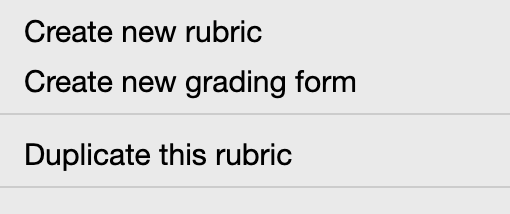
- When you choose Launch Rubric Manager you have the option to create a new rubric or grading form, as well you can duplicate rubrics that are premade and in the list.
Resources
Below are some resources from Turnitin that discuss how rubrics affect student learning and how designing assignments that encourage students to take responsibility for academic integrity can lead to greater equity in the classroom.
How do Rubrics Affect Student Learning?
https://www.turnitin.com/blog/what-are-rubrics-and-how-do-they-affect-student-learning
What is the history of rubrics? Why do rubrics matter?
https://www.turnitin.com/blog/what-is-the-history-of-rubrics-why-do-rubrics-matter
Annotated Bibliography Rubric
https://www.turnitin.com/rubrics/annotated-bibliography-rubric
Building a culture of academic integrity to keep students and teachers engaged
https://www.turnitin.com/case-studies/blinn-college
How Academic Integrity Supports Diversity, Equity, Inclusion, and Belonging
https://www.turnitin.com/blog/how-academic-integrity-supports-diversity-equity-inclusion-and-belonging
Rubrics to the Rescue
https://www.turnitin.com/blog/rubrics-to-the-rescue