This guide details how students click their grade to open Feedback Studio and how to navigate inline comments, QuickMarks, and the rubric scorecard in the right-hand panel.
turnitin
Submitting and Resubmitting Papers to Turnitin as a Student
Sometimes instructors use the Turnitin assignment type to accept your submissions. This post explains how to submit these assignments types.
- Click the Turnitin assignment link in your Moodle course.
- Click the Upload Submission button in the assignment dashboard.
- Choose your file (Word, PDF, etc.) and click Upload and Review.
- Review the document preview to ensure formatting is correct, then click Submit to Turnitin.
- Resubmitting: If allowed by your instructor, click the Resubmit button. Note that resubmitting overwrites your previous file, and generating a new similarity report can take up to 24 hours.
Understanding the Similarity Score for Students
This guide explains how to open the report from within the feedback studio view, how the similarity percentage is calculated, and what the different match colours indicate.
Creating a Standard TurnItIn Assignment
Setting up a standard assignment relies on the Select Content deep-linking workflow, which bridges Moodle directly with Turnitin Feedback Studio.
Step-by-Step Setup:
1. Enable Editing
Go to your Moodle course homepage and toggle Edit mode on (located in the top right corner).

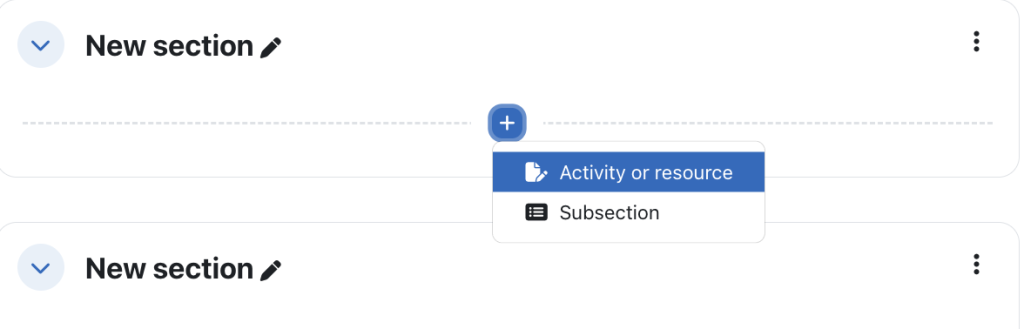
Locate the specific topic, section, or week where you want the Turnitin assignment to appear and click Add an activity or resource.
2. Choose Turnitin
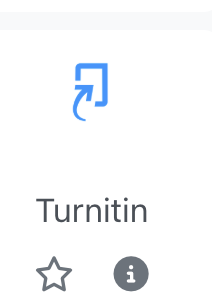
In the activity chooser, choose the Turnitin activity.
3. Select Content
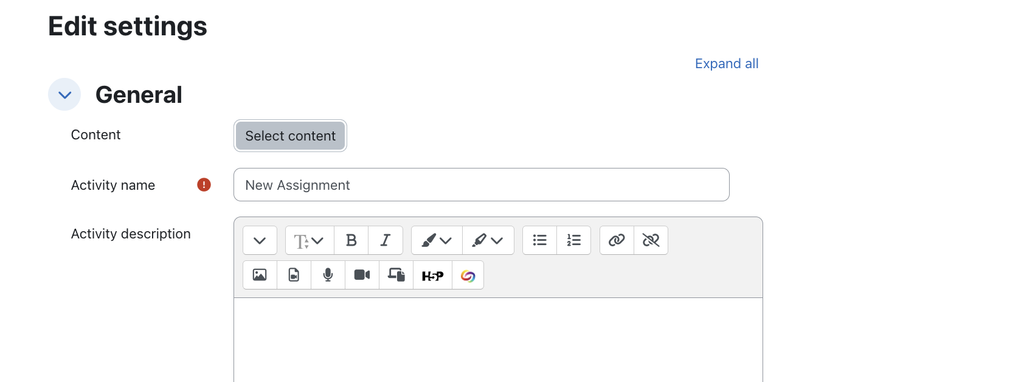
In the settings menu that appears, click the Select content button. This opens the Turnitin setup window via deep linking. (Note: If this is your first time using the integration, you may be prompted to accept an End User License Agreement).
4. Configure Assignment Details
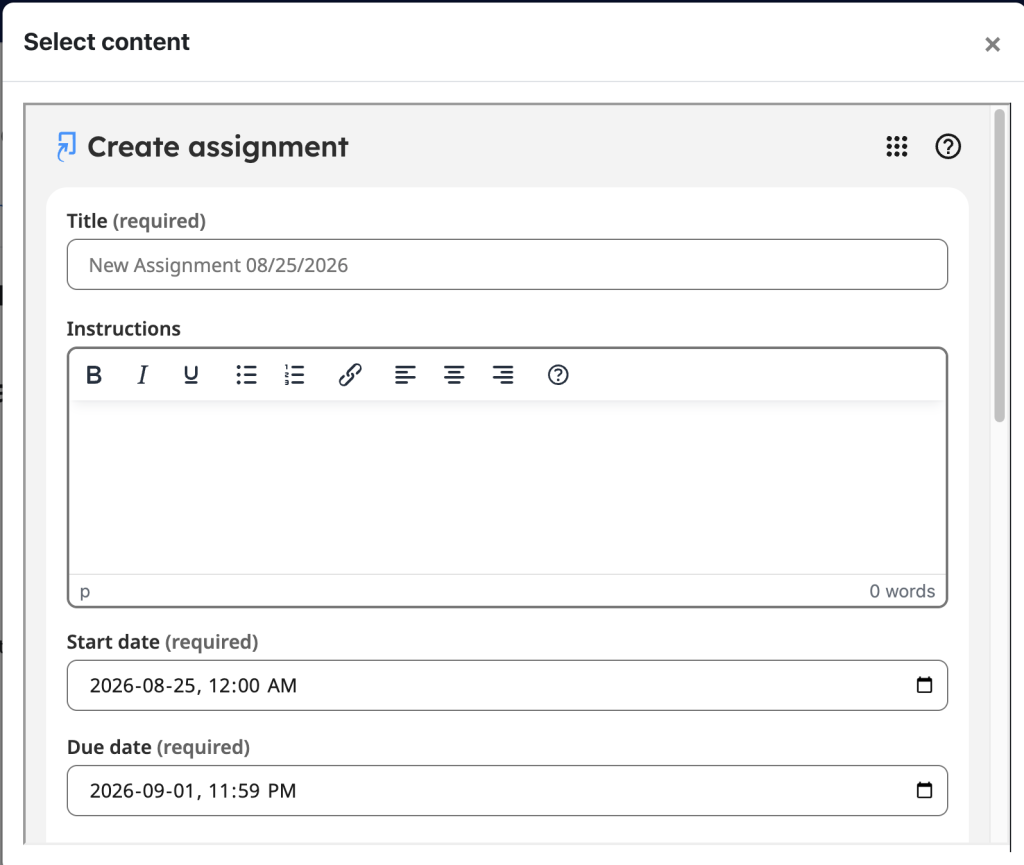
With the new configuration YOU MUST choose Select to configure your core assignment details within the Turnitin window.
This will provide you with the choice for a Standard or Multipart assignment. Choose Standard to create a standard assignment.
Enter the Assignment Title and Instructions.
- Set your Start Date, Due Date, and Feedback Release Date.
5. Similarity Reports and Repositories
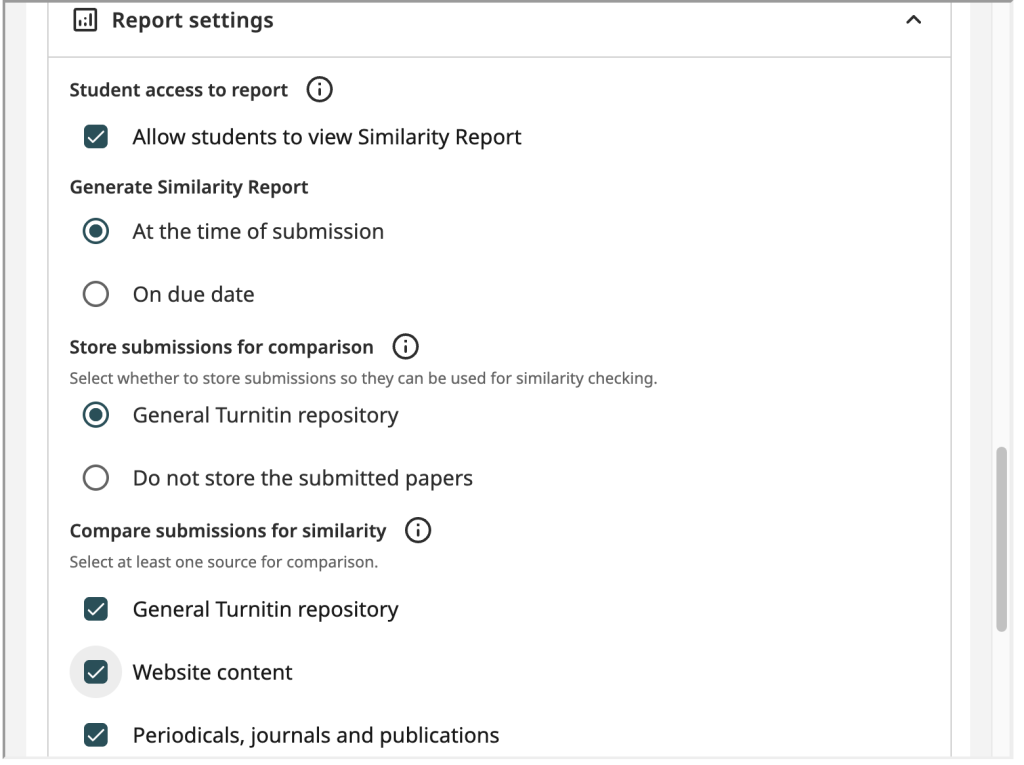
In the Report settings area, define your similarity report and repository choices.
- Decide if you will allow students to view the Similarity Report after the due date or at the time of submission.
- Choose Standard Paper Repository for final papers. Or choose Do not store submitted papers if students are submitting drafts.
- Click Submit at the bottom of the Turnitin window to save these configurations.
- The Turnitin window will close, and the Tool URL and Activity Name fields will automatically populate back into Moodle.
- Scroll to the bottom of the Moodle settings page and click Save and return to course to complete the deployment.
#turnitin #TO-DO #TUTORIAL #WORK
TurnItIn Workflows for Instructors
Grading, Feedback & Rubrics
- Using, Importing, and Exporting Rubrics
Learn how to attach a rubric or grading form to your assignments for consistent grading. This guide also covers how to export.rbcfiles and import formatted Excel spreadsheets to share rubrics across courses or with teaching colleagues. - Enabling Anonymous Marking
Ensure objective, unbiased grading by hiding student names in your Turnitin assignment inbox and Feedback Studio interface. Names will automatically be revealed once the Feedback Release Date passes. - Submitting on a Student’s Behalf
If a student is experiencing submission issues or has emailed you their file directly, follow this guide to upload files (from your local computer, Google Drive, or OneDrive) directly into their slot within your Moodle Turnitin Assignment Inbox.
Assignment Administration & Downloads
- Bulk Downloading Submitted Assignments
(Navigate to the “Download options” section of this guide)
Steps for bulk downloading student submissions in a single compressed.zipfolder. You can export original student submissions, standard PDFs that preserve inline feedback/grades, or a grade report summary spreadsheet. - Using PeerMark with Turnitin Assignments
PeerMark is Turnitin’s robust peer-review tool. This section outlines how to create a PeerMark assignment, edit peer-review questions, allocate papers, and review classmate evaluations.
Similarity & Grade Integration
- Understanding the Similarity Score
A complete breakdown of similarity percentage ranges, index interpretations, and instructions on how to use academic judgment when distinguishing between expected citations and potential misconduct. - Acceptable File Types for Submission
Detailed specifications regarding supported file sizes (under 100MB), word count minimums (20+ words), page limits (under 800 pages), and allowed file extensions (such as.docx,.pdf,.pptx). - Troubleshooting Grade Sync Issues
If grades entered inside Turnitin Feedback Studio are not propagating to the Moodle Gradebook, consult this FAQ. The most common resolution is verifying that the “Maximum grade” in Moodle’s activity settings is set to a value greater than 0.