Instructor News

Troubleshooting Grade Sync Issues

Grades are passed from Turnitin to the Moodle Gradebook via a secure “handshake.” While this is generally more reliable than older versions, you may occasionally find that a grade appears in the Turnitin Inbox but is missing from your Moodle Gradebook. Below are the most common causes and the steps you can take to fix them.

1. The “Self-Fix”: Resend Grades to LMS

If a specific grade (or the whole class) is missing from Moodle, your first step should be to manually trigger a sync. This “pokes” Moodle to look for new data from Turnitin.

  • Enter the Turnitin Assignment Inbox in Moodle.
  • Look for the Sync Roster icon (circular arrows) or the Resend Grades to LMS button in the top right header.
  • Click the button and wait for the “Success” notification.
  • Check your Moodle Gradebook to see if the marks have appeared.

2. Max Grade Conflict

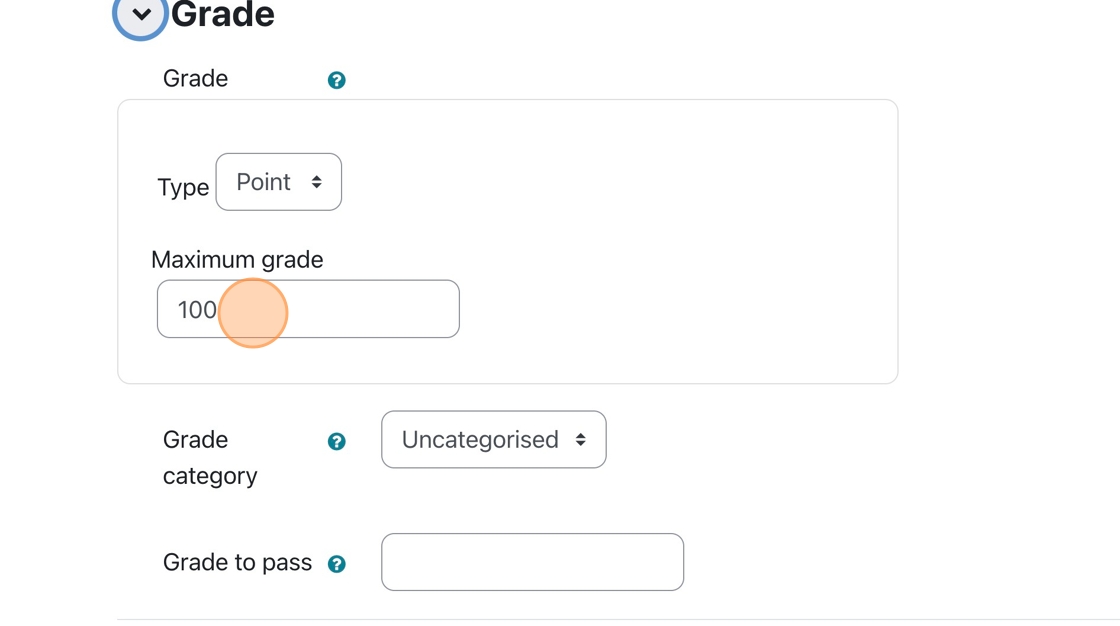
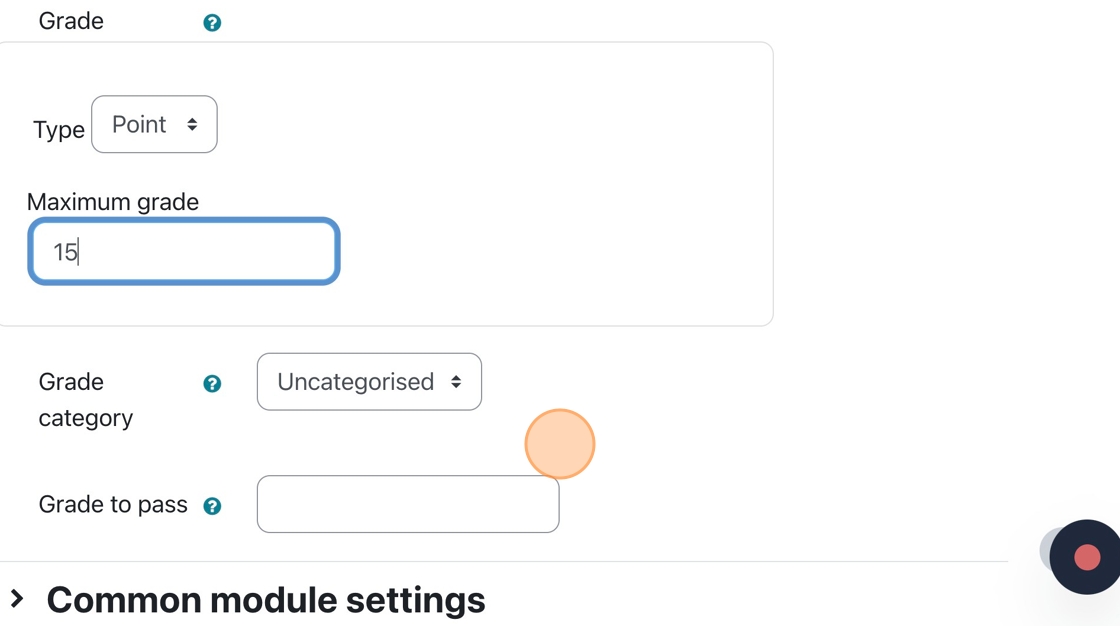
A sync failure occurs when the maximum possible points in Turnitin and Moodle are different values.

If Turnitin has a “Max Grade” of 100 but the Moodle Activity is set a Max Grade of 0, the sync will fail.

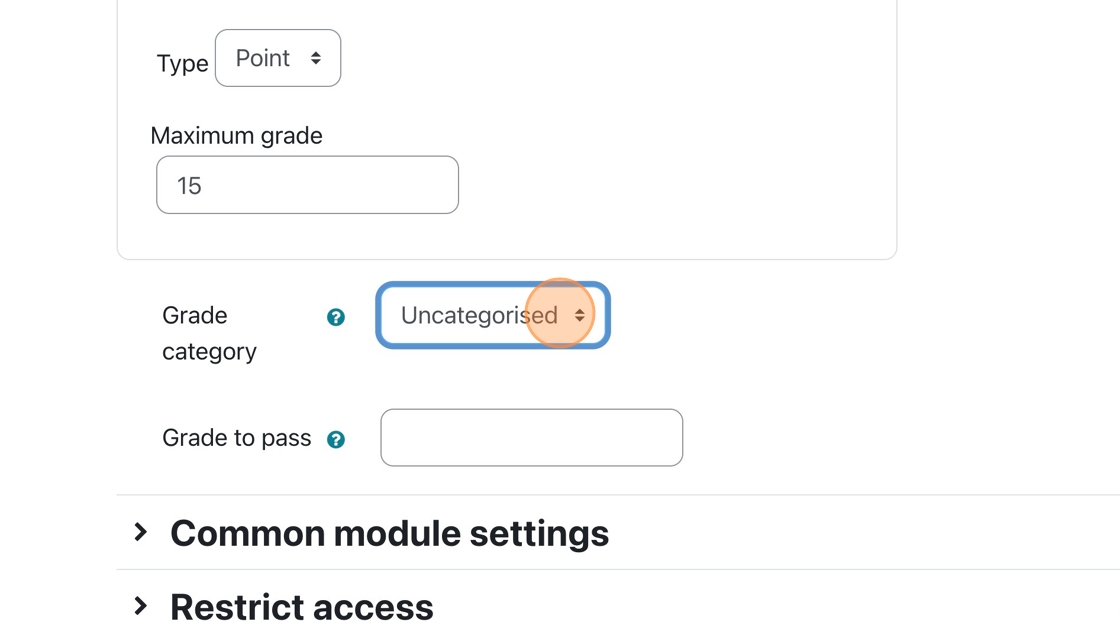
Go to Edit Settings for the assignment in Moodle. Check the Grade section. Ensure the “Type” is set to “Point” and the “Maximum grade” matches the value you set in the Turnitin settings.

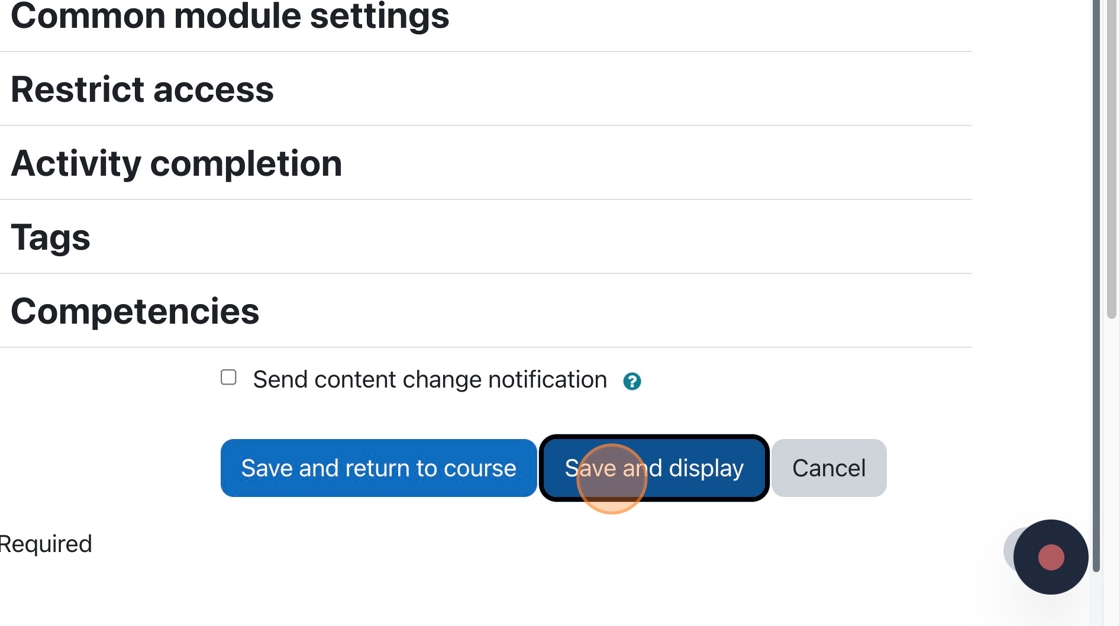
Be sure to “Save” and then Resync.

3. Anonymous Marking & The Release Date

If your assignment has Anonymous Marking enabled, grades are intentionally blocked from syncing to Moodle to protect student identities during the grading process.

Grades will not sync with Moodle until the Feedback Release Date passes. If you need the grades in Moodle sooner, you must set the Feedback Release Date in Turnitin to a time in the past. This will force all student names to be revealed and push all grades to Moodle.

4. The “Refresh Roster” Trick

Sometimes a student is enrolled in Moodle but hasn’t been “seen” by Turnitin yet, which prevents their grade from being assigned a value.

  1. In the Turnitin Inbox, click the Refresh Roster icon (usually next to the Sync button).
  2. This forces Turnitin to check the Moodle participant list.
  3. Once the student’s name appears correctly in the Turnitin list, their grade should sync within a few minutes.

Bulk Downloads via Turnitin assignments

  1. Navigate to your Moodle course and click on the Turnitin Assignment.
  2. In the Assignment Inbox, look for the Download button located in the top right corner of the submission list.

Choosing the Right Export Type

Turnitin offers five distinct ways to download your class data.

  • Grade Report: Download an XLSX file, so you can keep track of grades in your own way.
  • Submission List: A CSV file that contains the student names and whether or not they submitted
  • Original Files: Creates a ZIP file of all submissions in their original format, and appends the student’s name to the associated file included in the ZIP.
  • Standard PDF’s: Takes the original submission and converts it to standard PDF files, appends the student’s name and compresses all PDFs in a ZIP file.
  • Grademark PDFs: Creates PDF files from the original submissions, adds the Grademark report to the PDF, and compresses all the files in a ZIP file for download.

The Download Process

When you initiate a bulk download (especially for “All Reports and Files” or large classes), Turnitin processes the request in the background.

  1. Compression: You will see a notification stating that your files are being compressed into a ZIP file.
  2. Stay on the Page: For LTI 1.3, it is best to keep the browser tab open while the “Preparing Download” message is visible; however, the message also says you can close the window. But “best results” suggest keeping the window open.
  3. The Zip File: Once ready, the ZIP file will automatically download to your computer’s “Downloads” folder.
    • Note: For large classes (500 students), Turnitin may split the download into multiple ZIP files.

Feedback Studio Upgrades

Turnitin has upgraded Feedback Studio. They have gathered feedback on instructor and student experiences for quite a while and have now released an updated version that implements the input they received. As of May 8th, 2025, users who utilize https://turnitin.com or the Turnitin assessment module within Moodle will use the updated version of Feedback Studio.

If you would like an update on the layout of the new features in the Feedback Studio regarding the feedback experience, please visit the link below.
https://guides.turnitin.com/hc/en-us/articles/35446790262541-Navigating-the-new-grading-and-feedback-experience#h_01JQP2T4BG2HADG262WRWJFC03

You can also keep reading for some highlights on the Next-Gen Interface for Feedback Studio

Using Feedback Studio

The interface is now more intuitive, moving away from text-heavy menus to a streamlined, icon-driven sidebar designed to maximize the grading space.

The Icon-Driven Sidebar: A Visual Refresh

The traditional vertical text labels on the right-hand side have been replaced with a minimalist icon dock. This “Visual Refresh” keeps the student’s paper the central focus while providing quick access to grading tools.

  • Similarity Layer (Red Icon): Access the redesigned Similarity Report and Match Groups.
  • QuickMarks (Blue Lightning Icon): Open your library of reusable comments.
  • Feedback Summary (Blue Speech Bubble Icon): Leave overall text or audio feedback and view Pinned Feedback.
  • Rubrics (Blue Grid Icon): Access the attached rubric or grading form to apply scores.

Prioritizing with Pinned Feedback

The Pinned Feedback feature is a major efficiency tool in the Next-Gen interface. It allows you to “pin” the most critical comments—such as a recurring grammar issue or a particularly strong insight—to ensure they don’t get lost in the margin.

How to Pin a Comment:

  1. Click on any QuickMark or Speech Bubble comment you have placed on the paper.
  2. In the floating comment card that appears, click the Options menu (three dots) in the top right corner.
  3. Select Pin Comment.
  4. A yellow pushpin icon will now appear at the top left of that specific comment card in the margin.

Why Pinning Matters:

Pinned comments are automatically aggregated at the bottom of the Feedback Summary side panel. When a student opens their report, they see these “priority” comments immediately below your overall Summary Comment, creating a clear “Action Item” list for their next revision.

Understanding Feedback Cards and Badges

In the margin of the paper, feedback is now displayed in “cards.” These cards use a new Badging System to tell you at a glance what kind of feedback is inside:

  • Speech Bubble: Standard text comment.
  • Lightning Bolt: A QuickMark from your library.
  • Number Icon: Indicates the feedback is linked to a specific Rubric criterion.
  • Yellow Pushpin: Indicates the feedback has been Pinned for priority.

Tip: You can now customize the color of your feedback cards (Blue, Green, or Pink). Many instructors use these to categorize feedback (e.g., Blue for grammar, Green for strong arguments).

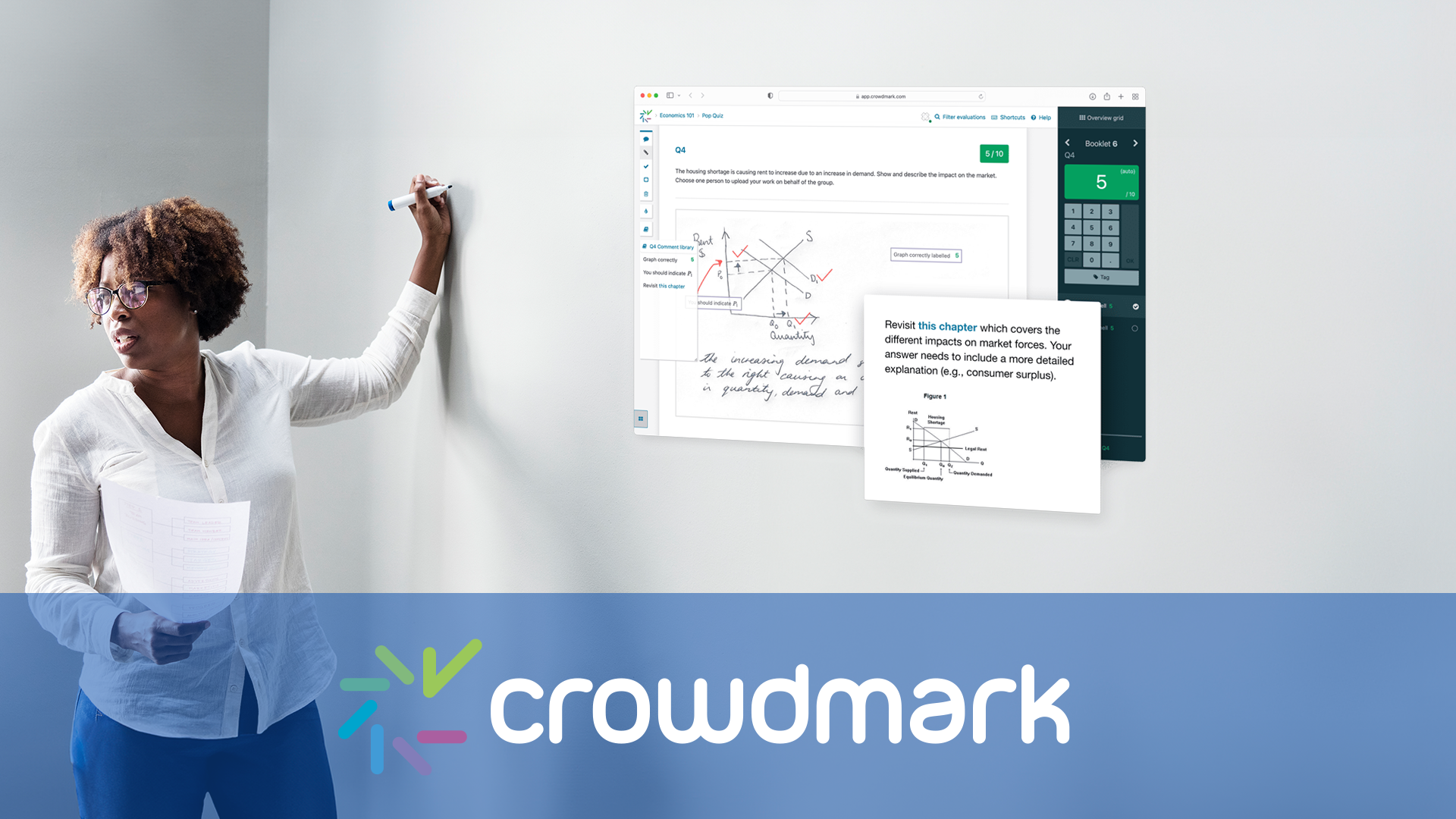
Crowdmark’s New Grading Interface (Fall/Winter 2025)

Crowdmark introduced a new interface back in the summer of 2023, but they have updated it again in October of 2025. All the same functions and features, but to give you more canvas space when grading, some features have been combined or appear in different menus.

Moodle Exam Set Up Reminders

Important Moodle Exam Information

Please check over ALL Moodle exam questions BEFORE the opening date of the exam. Once students attempt the exam, errors in the questions are not easily fixed.

(more…)

What’s New in Moodle – Summer 2025

Moodle has been updated. We’ve outlined some of the new changes and features within this article.

(more…)

Providing Feedback to Students using Feedback Studio

Turnitin integrates wonderfully with Moodle.

Feedback Studio is a valuable component provided by Turnitin. We will take a deeper look at the Feedback Studio, focusing on the tools that can provide practical, usable feedback to students.

(more…)