Instructors may want to request Moodle access for users who are off-campus and do not have a U of L account.
moodle
Deleting Items from the Gradebook
You may have items in your Gradebook that you no longer need. There are a number of ways to remove them.
Changing Point Values for Exam Questions

Once you have your Moodle exam created you may want to change the default point value for each question. Moodle defaults each question to be worth one point.
Emailing your Class in Moodle
Moodle currently does not have an internal email function associated with your course.
To send an email to your entire class, you will have to use your University of Lethbridge email account.
How to Preview a Moodle Quiz

Once you have your quiz set up in Moodle, it is highly recommended to preview your quiz to make sure everything looks and works as you wish before the exam opens to students.
My Course List is Gone!

If you had access to your Moodle classes during the semester but now they are gone, it could be one of two things.
Exporting your Student List from Moodle
If you wish, you can export your grades or your student list from Moodle into an Excel Spreadsheet.
Building Custom Content

Moodle allows you to create custom resources and content in many areas. Two such areas are labels and pages. This tutorial will walk you through how to build a custom page within Moodle, how to add and resize images, and how to add a YouTube video. At the end of this tutorial, you will know how to manipulate different types of content utilizing the WYSIWYG (What You See Is What You Get) editor.
Adding & Removing Sections

By default, Moodle displays 14 sections. You may add more sections if required, or you may remove sections you will not be using.
Understanding Moodle’s Calendar Block

The Calendar block can be found on the right hand column of most courses, although instructors are free to move that if they wish.
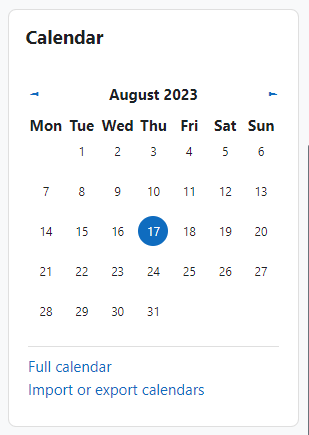
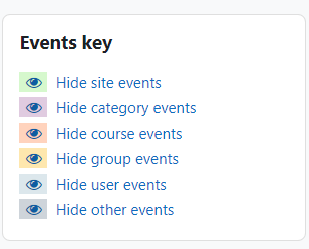
If you go to the full Calendar (see link above), Moodle provides users with an integrated calendar that can hold 4 different types of events.
Global (event viewable in all courses – created by admin users)
Course (event viewable only to course members – created by teachers)
Group (event viewable only by members of a group – created by teachers)
User (personal event a student user can create – viewable only by the user)